


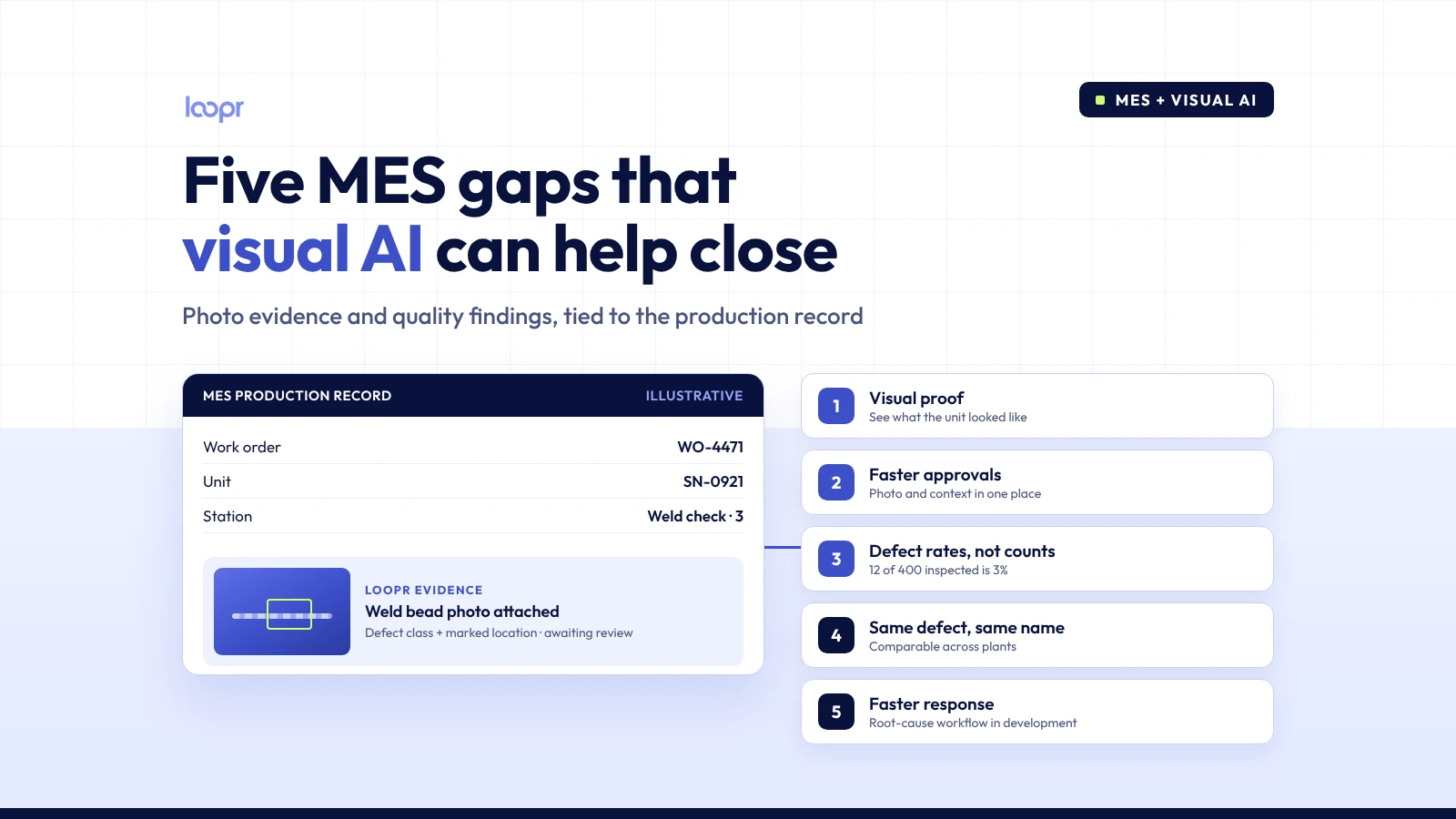
A manufacturing execution system (MES) can tell you which order ran, which materials were used and when a unit passed through a station. But when quality becomes the question, the record may still leave a crucial detail unanswered: What did the unit actually look like? Manufacturing Today’s discussion of five MES trends points to a growing need for richer production context, connected decisions and useful AI at the point of work.
Loopr helps manufacturers address that need by adding a visual quality layer to the MES they already use. Its guided inspections capture actual photos; Vision AI detects configured defects; Quality Intelligence groups the results into patterns that teams can investigate. Loopr can integrate with MES workflows so the evidence and findings are tied to the right work order, unit and production step. The integration is the point: a defect result is far more useful when it appears alongside the production record and reaches the people who can act on it.
Gap 1: Production data lacks visual proof
An MES records the production event. It may say that a weld inspection was completed or an assembly passed a station. A pass/fail field, however, cannot show the weld bead, a missing fastener or the condition of a painted surface. When a defect is discovered downstream, engineers need to know whether it was present at the earlier checkpoint.
How Loopr closes the gap: Loopr captures required views at incoming, inline and final inspection. The photo remains attached to a structured inspection result, including the defect class and, where applicable, the marked location. An engineer can inspect the image behind the AI result instead of relying on a code alone.
How it works with MES: The MES supplies the work order, part or serial number, product variant, station and timestamp. Loopr associates each photo and result with that context and can return the inspection status to the MES. The production history gains evidence of what the unit looked like when the check occurred. That record is useful for rework, audits and later warranty questions.
Gap 2: Quality approvals interrupt the production flow
A line may be ready to run while the first product waits for inspection and approval. The delay can come from locating the inspector, repeating job details, finding the right image or passing a decision between systems. Similar handoffs occur when a unit needs rework or a lot needs review.
How Loopr closes the gap: A guided capture sequence prompts the operator for the views needed at that checkpoint. Vision AI can flag a suspected defect for the quality team and present the actual photo for review. An inspector then accepts the result, requests another image or records a disposition according to the plant’s rules.
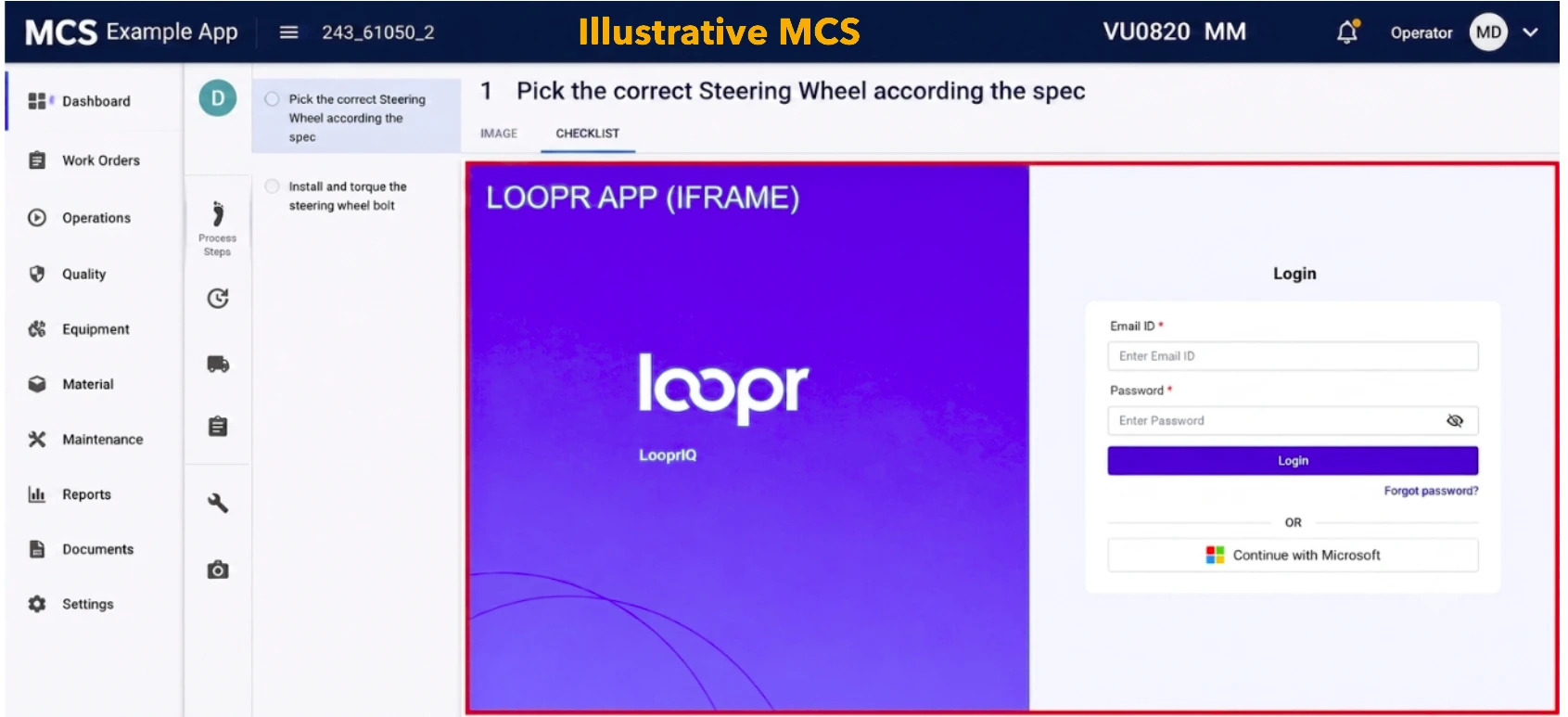
How it works with MES: A configured MES event, such as completion of the first unit, can initiate the Loopr inspection workflow. The work order and unit identity are already available, so the inspector does not have to reconstruct them. Once the authorized person approves or rejects the unit, the result can flow back into the MES release or rework process. Where the MES supports it, the Loopr view can be surfaced within the operator’s existing MES experience. Human approval remains in place for decisions that require it.
Gap 3: Defect counts are disconnected from business decisions
A plant can record output accurately and still make a poor delivery or inventory decision if it cannot see how many units have a quality issue. A folder of photos does not answer that question. Neither does a defect count without the number of units inspected.
How Loopr closes the gap: Loopr classifies defects and groups inspection results by line, shift, supplier, product or plant, with photos available to verify the trend. For example, 12 defective units out of 400 inspected units is a 3% rate. That is more useful than reporting “12 defects” without production volume or context.
How it works with MES: Loopr links its quality findings to MES unit status, work orders and inspection volume. The combined view helps teams identify affected production and distinguish units that passed, await review or need rework. When the MES is connected to inventory, scheduling or ERP processes, those teams can use a more trustworthy quality signal before committing stock or promising shipment. Loopr supplies the visual evidence and defect data; the MES and business systems remain responsible for their own transactions.
Gap 4: Plants measure “the same” defect differently
Across sites, one team may log a surface flaw as rework, another as scrap and a third in free text. Even with a common dashboard, those records are difficult to compare. Differences in camera position, lighting and inspection steps can further distort the numbers.
How Loopr closes the gap: Loopr can establish common defect classes, required photo views and inspection steps for comparable products. Quality leaders can open representative images behind a reported trend to check whether two plants are seeing the same issue. Each line still needs its own validated camera setup and acceptance criteria.
How it works with MES: Loopr maps its structured quality results to each site’s MES identifiers and event definitions. That lets plants retain their existing execution systems while reporting comparable visual findings across facilities. Loopr offers on-premises, cloud and hybrid deployment options, but each rollout should test how capture and result synchronization behave under the site’s network and data requirements. This improves consistency in quality measurement without claiming to standardize every part of the MES estate.
Gap 5: AI flags a problem, but the response takes too long
A defect alert can arrive quickly while an investigation takes hours. An engineer may have to compare photos, MES history, equipment data, maintenance records and material lots before deciding what changed. If those clues remain separate, the same defect can continue to occur during the search.
How Loopr closes the gap: Loopr’s Vision AI detects and classifies configured defects today, while Quality Intelligence reveals recurring patterns and spikes. Its agentic root-cause workflow is in development. The intended workflow would gather the relevant records, group affected units, calculate the change in defect rate and draft an evidence-linked explanation with possible next steps for an engineer to review.
How it works with MES: The MES provides the production timeline, units, routings and material context; Loopr provides the defect findings and photos. An agentic workflow could use both to narrow an investigation and propose actions such as reviewing a lot or opening a corrective-action ticket. A qualified person would confirm the cause and approve any action that changes production, releases product or quarantines material. The photo establishes what was observed; it does not, by itself, prove why it happened.
Start where the gap is measurable
Choose one inspection point where a visual defect, approval delay or missing evidence costs time or money. Connect Loopr to the relevant MES event and unit identifier. Define the images to capture, the defect classes to detect and the result that must return to the MES. Then measure detection performance, false rejects, time to disposition, evidence retrieval and repeat defects on actual production.
An MES provides the backbone of production execution. Loopr adds visual proof and structured quality findings at the moments when that backbone needs a clearer view of the product. Together, they can move a team from “the system says the step was completed” to “we can see what happened, which units were affected and what needs review.”
Looking to add visual quality evidence to your MES? Explore Loopr’s inspection solutions.
Frequently asked questions
Does Loopr replace an MES?
No. The MES remains the backbone of production execution. Loopr adds visual proof and structured quality findings, tied to the work order, unit and production step the MES already tracks.
What does the MES provide, and what does Loopr provide?
The MES supplies context such as the work order, part or serial number, product variant, station and timestamp. Loopr associates its photos, defect classes and inspection results with that context and can return the inspection status to the MES.
Is Loopr's agentic root-cause workflow available today?
Not yet. Loopr's Vision AI detects and classifies configured defects today, and Quality Intelligence reveals recurring patterns. The agentic root-cause workflow is in development, and a qualified person would still confirm any cause and approve any action.
Sources
- Manufacturing Execution Systems (MES) Trends, Manufacturing Today.


